
Mimir Knowledge Trainer1.21 - App Store
You'll be able to see results in few seconds.
Publisher Description

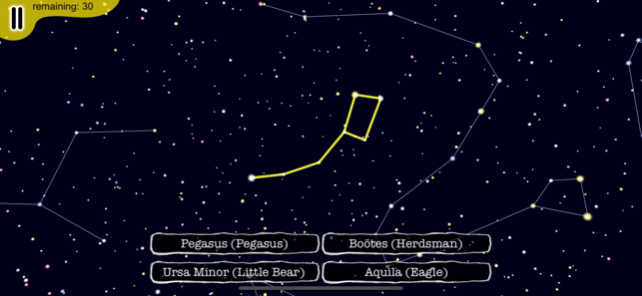
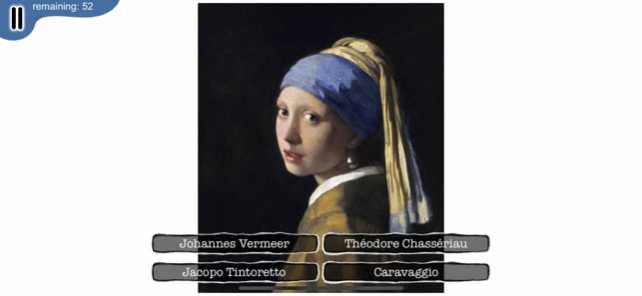
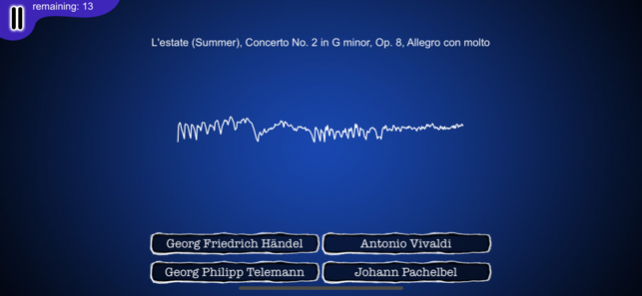
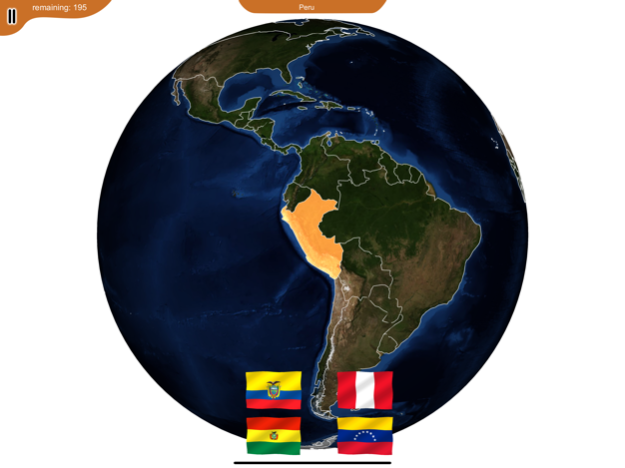
Impress others with your geography skills, know the most famous classical paintings, recognize classical music in movies and ads and seduce someone with your knowledge of astronomy!
Using multiple-choice games, this app will teach you:
Geography:
Learn to recognize countries on a 3D globe. Know which capital and flag belongs to which country.
Astronomy:
Learn to recognize the 88 star constellations in a 3D night sky.
Paintings:
Get to know the most famous classical painters and their paintings. The app contains more than 500 paintings. From each of 13 eras, the most famous artists were selected, and for each of these artists 3 or more paintings were included.
The eras are:
Italian Renaissance
Dutch and Flemish Renaissance
German Renaissance
Mannerism
Baroque
Rococo
Neoclassicism
Romanticism
Pre-Raphaelite
Academic Art
Realism
Impressionism
Post-Impressionism
Classical Music:
Know the most famous classical composers of the baroque, classical and romantic era and their music. This app contains 76 of the most famous pieces of classical music. Listen to parts of these and recognize their composers.
Note: This app uses public domain material, so it does not contain any modern paintings or modern pieces of music.
Dec 4, 2019
Version 1.21
App no longer crashes in the geography part.
About Mimir Knowledge Trainer
The company that develops Mimir Knowledge Trainer is Snarp. The latest version released by its developer is 1.21.
To install Mimir Knowledge Trainer on your iOS device, just click the green Continue To App button above to start the installation process. The app is listed on our website since 2019-12-04 and was downloaded 0 times. We have already checked if the download link is safe, however for your own protection we recommend that you scan the downloaded app with your antivirus. Your antivirus may detect the Mimir Knowledge Trainer as malware if the download link is broken.
How to install Mimir Knowledge Trainer on your iOS device:
- Click on the Continue To App button on our website. This will redirect you to the App Store.
- Once the Mimir Knowledge Trainer is shown in the iTunes listing of your iOS device, you can start its download and installation. Tap on the GET button to the right of the app to start downloading it.
- If you are not logged-in the iOS appstore app, you'll be prompted for your your Apple ID and/or password.
- After Mimir Knowledge Trainer is downloaded, you'll see an INSTALL button to the right. Tap on it to start the actual installation of the iOS app.
- Once installation is finished you can tap on the OPEN button to start it. Its icon will also be added to your device home screen.
Version History
version 1.21
posted on 2019-12-04
Dec 4, 2019 Version 1.21
App no longer crashes in the geography part.
version 1.21
posted on 2019-12-04
4 Dec 2019 Version 1.21
App no longer crashes in the geography part.
version 1.03
posted on 2013-11-23
version 1.21
posted on 1970-01-01
4. Dez. 2019 Version 1.21
App no longer crashes in the geography part.
version 1.21
posted on 1970-01-01
4 дек. 2019 г. Version 1.21
App no longer crashes in the geography part.
Disclaimer
Official App Store Link
We do not host Mimir Knowledge Trainer on our servers. We did not scan it for viruses, adware, spyware or other type of malware. This app is hosted by Apple and passed their terms and conditions to be listed there. We recommend caution when installing it.
The App Store link for Mimir Knowledge Trainer is provided to you by apps112.com without any warranties, representations or guarantees of any kind, so access it at your own risk.
If you have questions regarding this particular app contact the publisher directly. For questions about the functionalities of apps112.com contact us.
